This post provides a discussion on PDF vs SVG in Matplotlib or qtplot. For the discussion on imshow() vs pcolormesh(), click here. I prefer imshow() for most cases because it doesn’t change the number of pixels (a 7*7 matrix becomes 7*7 pixels in a heatmap). However, as mentioned in the old post, there are issues with the imshow() I am using. I use the old WinPython-32bit-2.7.9.5, which you may laugh at, haha! It’s portable, can be stored in a flash drive. Anyway, people are moving to the cloud that portability and flash drives are not as cool as before.
Speaking of the issues, one problem is that there are white spaces between axes and the heatmap. This only applies to the GUI. Sometimes you need to zoom in to see it. Exported files are free from this issue. Matplotlib uses different backends for GUI and generating files.
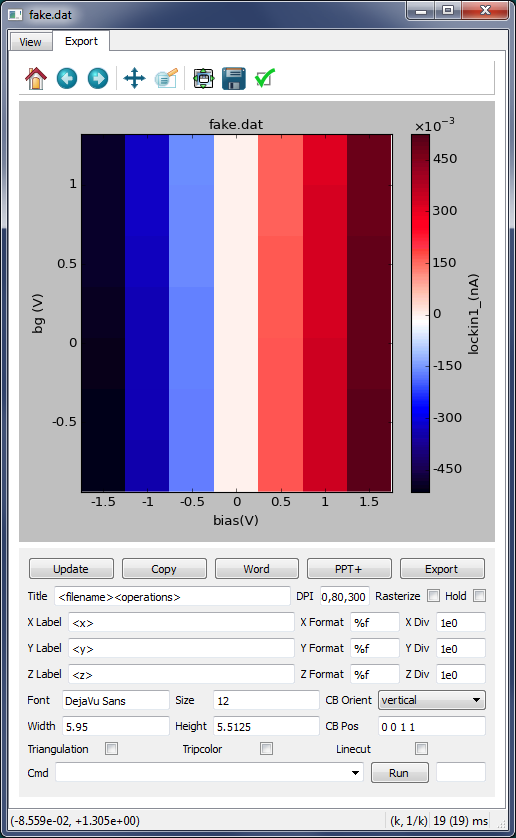
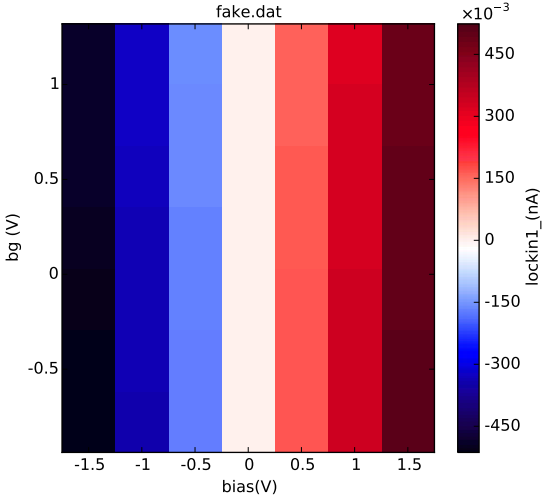
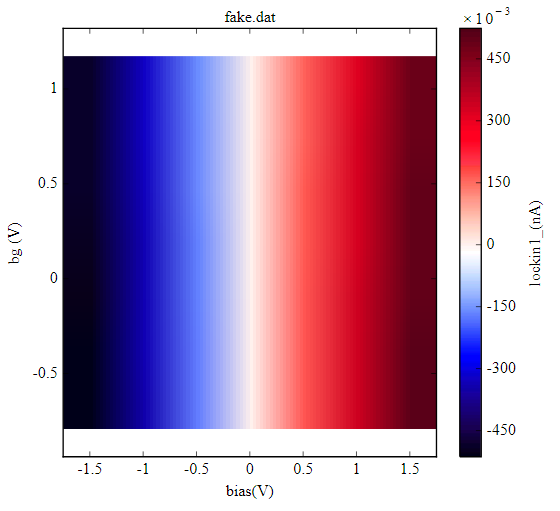
Another problem arises after exporting SVG files. The image strangely blurred. Among vector image formats, I preferred SVG over PDF because SVG is the default file type for Inkscape. I plotted a 7*7 matrix with my forked version of qtplot. Here are the results:
- White spaces between axes and the figure:
- Export as a PDF file, open in Chrome. Looks good, no white spaces. (the .png file also looks good)
- Export as an SVG file, open in Chrome and Inkscape. It looks very different from PDF files.
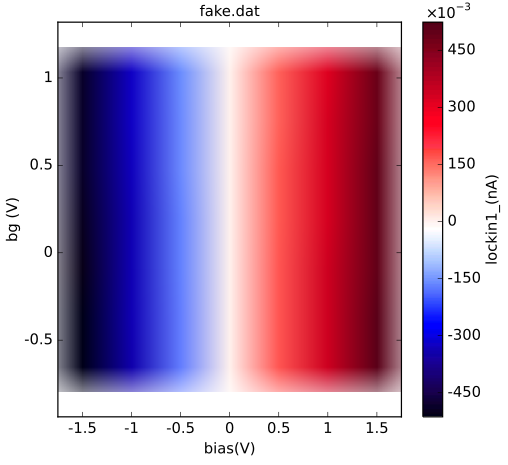
More experiments:
The result is bad if I save the PDF file to an SVG file by Inkscape and vice versa. If I open the .pdf file and save it as a .pdf file in Inkscape, the result is good. I extracted images in these files and found no problem. The images in SVG files were extracted by opening them in a text editor and copy the encoded base64 string of image to any online decoders. The images in .pdf files were extracted by copy-pasting them from Adobe Reader to Windows Paint.
At last, I find the reason and solution for the white spaces and blurred images in SVG files, by comparing the XML attributes for files in Inkscape: just add “preserveAspectRatio: none” and “style: image-rendering:optimizeSpeedpixelated” attributes to the SVG image!
Now I prefer PDF over SVG. Even though there are some tricks editing PDF in Inkscape, but those are easier to deal with than directly modifying XML attributes in a GUI based workflow.